

Job Costing & Profitability

Sign Job Costing & Profitability Software

See the commercial side of your signage work more clearly by keeping revenue, costs, profit, margins and business reporting connected inside GraphiQuote.
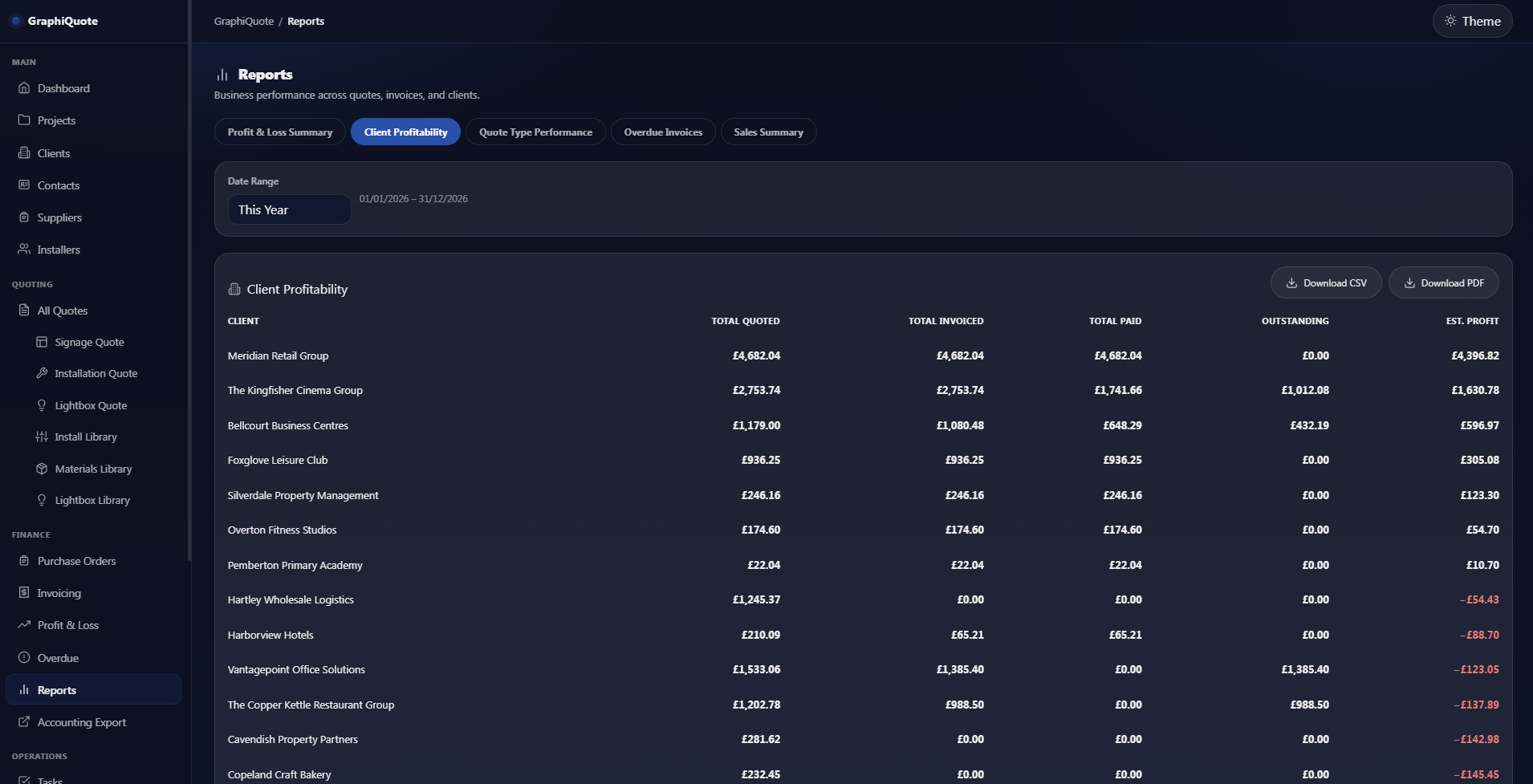
Revenue & costs
Profit & margins
Client & job reporting
PDF & CSV report exports
GraphiQuote — Reports & Profitability
GraphiQuote profit and loss dashboard for sign businesses in dark mode
Commercial visibility
Revenue − Costs = Profit

Turn Job Figures Into Useful Information

See more than turnover — understand profitability

GraphiQuote brings revenue, costs, profit and margins into reporting views that help you understand how the commercial side of the business is performing.

Revenue

Keep sales values visible when reviewing jobs, clients, quote types and reporting periods.

Costs

Keep the cost side of the work visible alongside revenue rather than looking at sales in isolation.

Profit & Margin

Review the profit and margin information behind the work instead of relying on turnover alone.

Reporting

Compare periods and review performance by client, quote type and other useful reporting views.
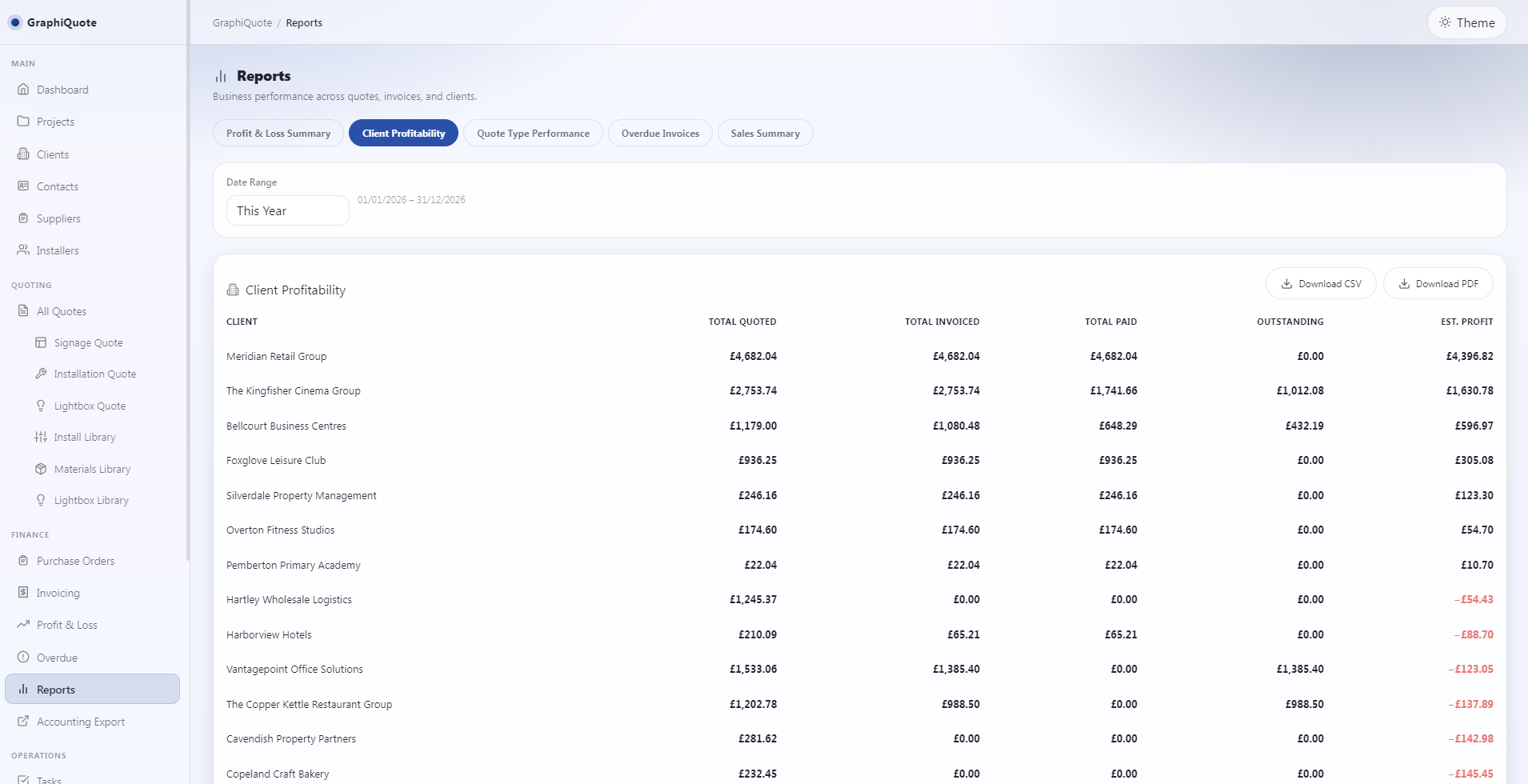
GraphiQuote client profitability report showing quoted, invoiced, paid and profit values

From Figures to Better Visibility

See where the business is making money

GraphiQuote keeps reporting tied to the same quoting and project workflow that created the work, giving you clearer commercial information without building separate reporting spreadsheets.

  • Compare months and reporting periods.
  • Review profit by client and quote type.
  • Keep revenue, costs, profit and margins visible together.
  • Export reporting information to PDF or CSV.
  • Save filters for reporting views you use repeatedly.

Connected Commercial Workflow

Profitability makes more sense when it stayslinked to the work that created it

GraphiQuote keeps reporting connected to the quotes, projects and invoices behind the numbers instead of separating profitability from the actual job workflow.

Quotes

Start with the commercial values created during signage estimating and quoting.

Projects

Keep the job workflow connected as quoted work becomes an active project.

Invoices

Keep customer billing and overdue tracking part of the wider commercial picture.

Reporting Built Around Real Business Questions

Review profitability from more than one angle

GraphiQuote reporting helps you compare performance across useful commercial views rather than relying on one overall sales figure.
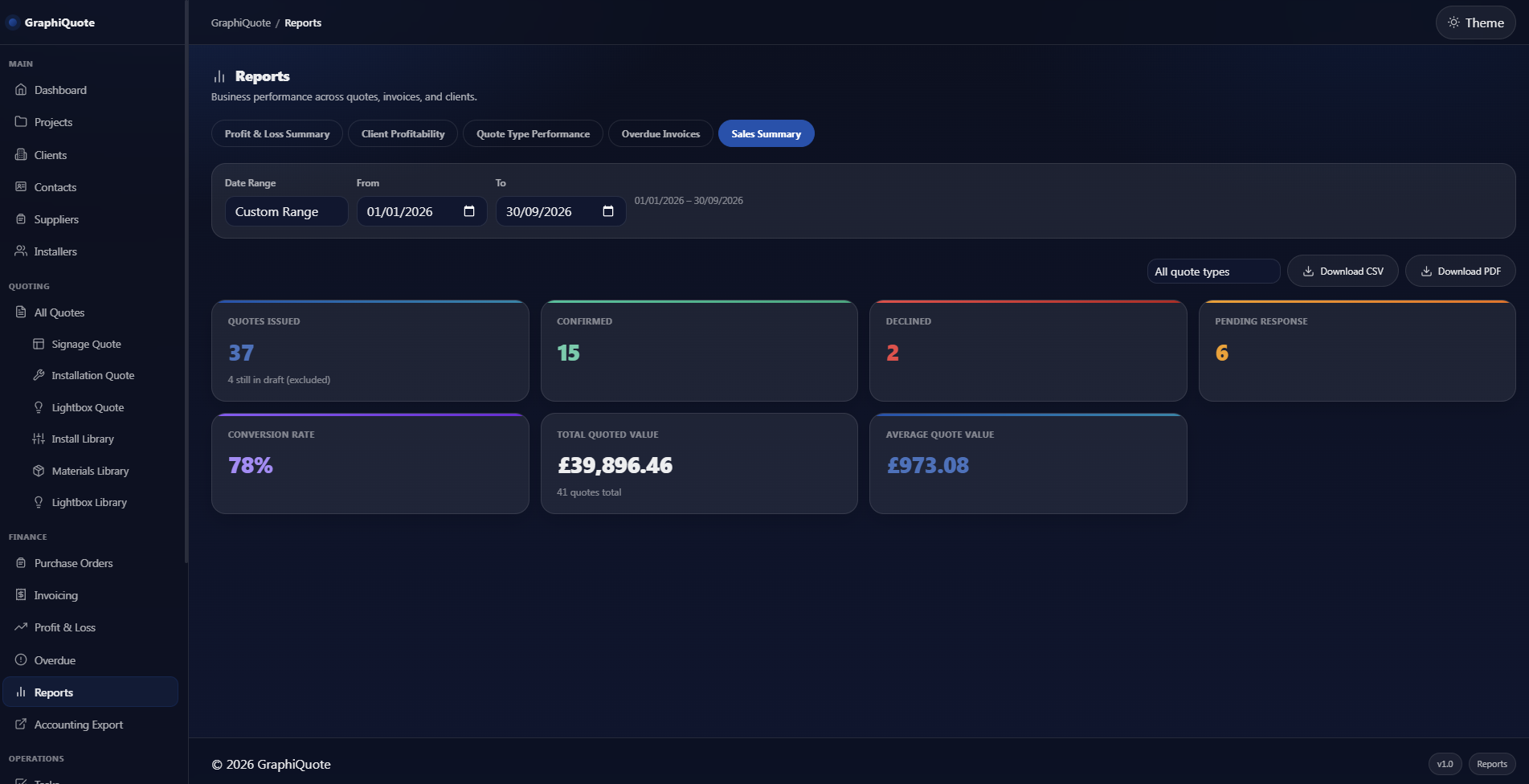
Compare Months & Periods Review different months and reporting periods to see how business performance changes over time.
Profit by Client Review how revenue and profitability vary between customers.
Profit by Quote Type See how different categories of quoted work perform commercially.
GraphiQuote sales reporting dashboard showing revenue and business performance in dark mode

Continue the GraphiQuote Workflow

Profitability starts with better job information

Explore the other GraphiQuote workflows that create the commercial information behind reporting.

Job costing & profitability software FAQs

GraphiQuote reporting includes revenue, costs, profit and margin information, with views that can be used to compare periods and review performance by client or quote type.
Yes. GraphiQuote reporting can compare different months and reporting periods so you can review how performance changes over time.
Yes. GraphiQuote reporting can be exported to PDF or CSV, and reports can also be prepared for printing.
Yes. Saved filters let you reuse reporting views that you need to check regularly.

Ready to see your signage work more clearly?

Keep quoting, projects and profitability connected in GraphiQuote so the commercial side of the business is easier to understand.

30-day money-back guarantee · No contract · Windows desktop application